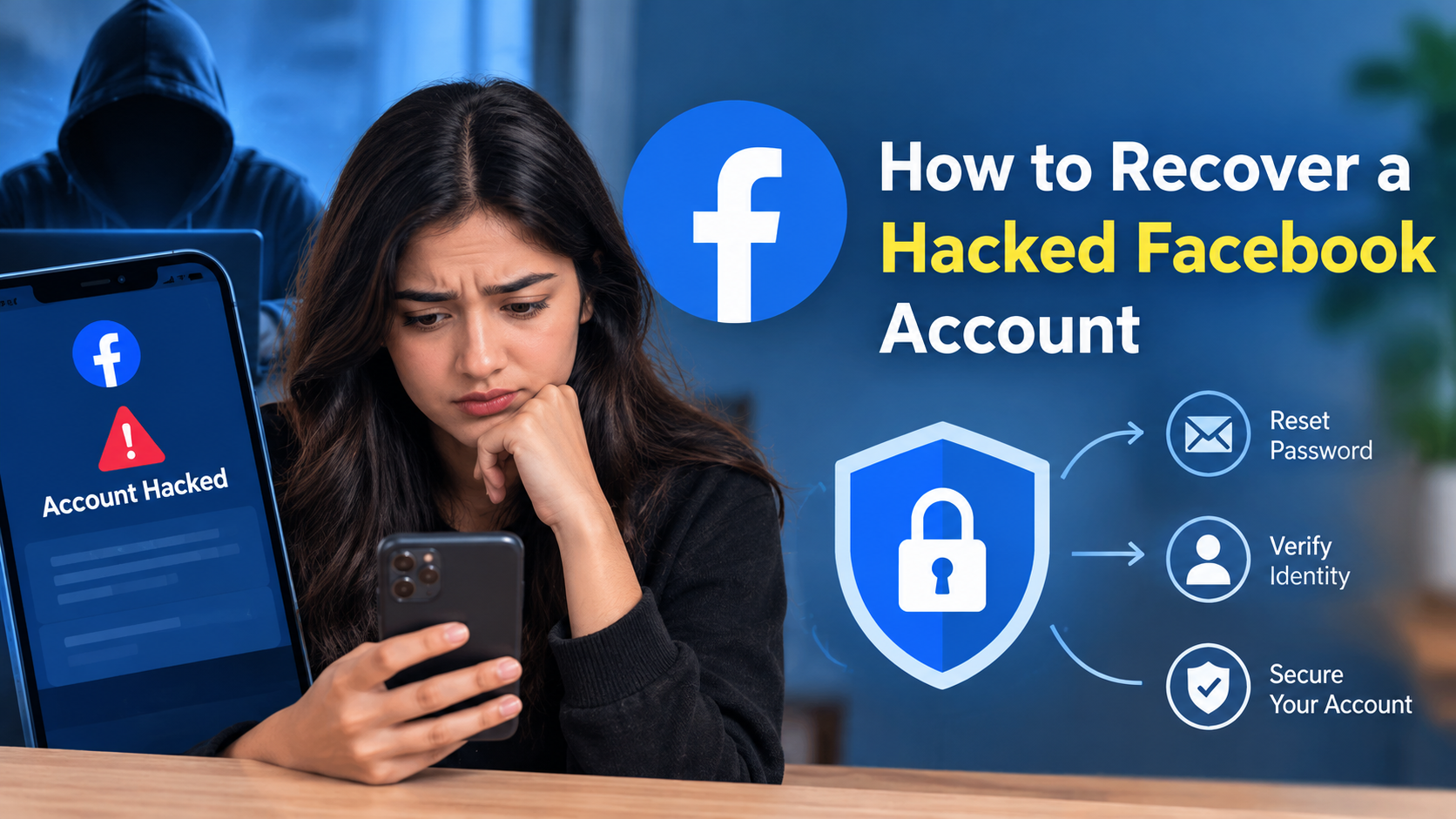
Learn how to recover a hacked Facebook account step by step. Find out how to reset your password, regain access, secure your account, enable 2FA, and prevent future hacks.
A hacked Facebook account can be stressful, especially when someone changes your password, email address, phone number, or starts posting and messaging people from your profile. Since Facebook accounts can contain personal photos, messages, contacts, business information, and other private details, recovering the account as quickly as possible is important.
The good news is that Facebook provides account recovery and security tools for people whose accounts have been compromised. Meta recommends securing a hacked account immediately and reviewing account security, login activity, and connected permissions.
In this guide, you will learn how to recover a hacked Facebook account, what to do if your password was changed, how to recover an account when you cannot access your email or phone number, and how to secure your account after getting it back.
What Does It Mean When a Facebook Account Is Hacked?
A Facebook account may be considered hacked or compromised when another person gains unauthorized access to it. The attacker may obtain access through a stolen password, phishing website, malware, a compromised email account, or another security weakness.
A hacker may change your Facebook password, replace your recovery email address or phone number, send messages to your friends, publish posts, change your profile information, or use your account to promote scams.
Sometimes, however, unusual activity does not necessarily mean that the account itself was hacked. For example, a saved login session on an old device or a compromised email account can also create security problems.
If you notice unfamiliar activity, it is better to review your account security immediately rather than ignore it.
Signs That Your Facebook Account May Have Been Hacked
There are several warning signs that may indicate unauthorized access.
1. Your Password No Longer Works
If you suddenly cannot log in using your normal Facebook password, someone may have changed it.
2. Your Email Address or Phone Number Has Changed
A hacker may attempt to replace your recovery information so that you cannot reset the password.
3. Unknown Posts Appear on Your Profile
If you see posts, comments, or advertisements that you did not create, check your account security immediately.
4. Messages Were Sent Without Your Permission
Unexpected Messenger messages sent to friends can be another warning sign.
5. Unknown Login Activity
Facebook provides security tools that allow users to review devices where their account has recently been accessed. Meta recommends checking login activity and logging out of unfamiliar devices.
6. Friends Receive Suspicious Messages
If friends tell you that your account has sent them strange links or requests for money, take the warning seriously.
7. Your Profile Information Has Changed
An attacker may change your name, profile picture, bio, email address, phone number, or other account information.
How to Recover a Hacked Facebook Account
If you believe your Facebook account has been hacked, follow these steps carefully.
Step 1: Try Logging Into Your Facebook Account
First, visit Facebook and try signing in using your usual email address, phone number, and password.
If your existing password still works, immediately change it to a new and unique password.
If you cannot log in, continue with the account recovery process.
Do not repeatedly enter random passwords. Instead, use Facebook’s official recovery options.
Step 2: Use Facebook’s Official Hacked Account Recovery Tool
Facebook provides a dedicated recovery process for compromised accounts.
Go to Facebook’s account recovery page and follow the instructions provided for hacked or compromised accounts.
You may be asked to identify your account using information such as your email address, phone number, name, or other account details.
Use only official Facebook or Meta pages when attempting to recover your account.
Avoid websites or individuals claiming that they can “hack back” your Facebook account. They may ask for your password, verification code, payment, or personal information.
Step 3: Find Your Facebook Account
If Facebook asks you to identify your account, enter the email address or phone number previously connected to the account.
You can also try searching using your Facebook name or username if the recovery process provides that option.
Make sure that you are using information associated with your own account.
If your phone number or email address was changed by the hacker, do not assume that your account is permanently lost. Continue following Facebook’s recovery instructions.
Step 4: Check Your Email for Security Notifications
If you still have access to the email account connected to Facebook, search your inbox for Facebook security notifications.
You may find an email informing you that your password, email address, or other account information was changed.
If the message provides an option to reverse or secure the change, follow the instructions carefully.
However, be cautious with emails containing links. Instead of clicking suspicious links, navigate directly to Facebook or Meta’s official website and begin the recovery process there.
Step 5: Recover Your Account Using Your Email or Phone Number
If your original email address or phone number is still connected to your Facebook account, Facebook may send you a verification code.
Enter the code only on the official Facebook recovery page.
Never give a Facebook verification code to another person.
A legitimate support process should not require you to send your password or security code to a stranger through Messenger, WhatsApp, Instagram, email, or another social platform.
Step 6: If the Hacker Changed Your Email Address
This situation can be more difficult, but you should still attempt recovery through Facebook’s official hacked-account process.
If Facebook sends a notification that your email address was changed, check whether the message includes a way to secure or reverse the change.
You should also secure the email account that was previously connected to Facebook.
Change your email password and enable two-factor authentication if available.
This is important because if someone has access to your email account, they may also be able to interfere with future Facebook password-reset attempts.
Step 7: If the Hacker Changed Your Phone Number
If your phone number was removed from Facebook, try recovering the account using another recovery method offered by Facebook.
If your phone number itself has been compromised or your SIM card is behaving unexpectedly, contact your mobile carrier.
Your Facebook account and mobile number are separate security issues, so securing both is important.
Step 8: Create a New Strong Password
Once you regain access to your account, immediately create a new password.
Your new password should:
- Be difficult to guess
- Be different from your old Facebook password
- Not be reused on other websites
- Avoid obvious personal information
- Include a combination of letters, numbers, and special characters
Meta recommends using different passwords for different accounts and avoiding sharing passwords with other people.
A password manager can also help you create and store unique passwords.
Step 9: Log Out of Unknown Devices
After recovering your account, check where your Facebook account is currently logged in.
Look for devices, browsers, or locations that you do not recognize.
If you find an unfamiliar session, log it out.
Meta’s security guidance specifically recommends reviewing the “Where You’re Logged In” section to see recently used devices.
If you are unsure about a session, changing your password and reviewing all active sessions can help reduce the possibility of continued unauthorized access.
Step 10: Turn On Two-Factor Authentication
Two-factor authentication, commonly called 2FA, provides an additional layer of protection.
When 2FA is enabled, logging in from an unfamiliar device may require an additional verification step.
Meta recommends enabling two-factor authentication as an additional security measure for Facebook accounts.
Depending on the options available to your account, you may be able to use an authentication app or another supported security method.
Keep your recovery methods secure and never share authentication codes with other people.
Step 11: Review Your Contact Information
After recovering your account, check the email addresses and phone numbers connected to Facebook.
Remove information that you do not recognize.
Make sure your own recovery email address and phone number are correct.
This step is important because recovery information can determine how easily you can regain access if you have another login problem in the future.
Step 12: Review Connected Apps and Websites
Many people use Facebook to log into other apps and websites.
After recovering a compromised account, review the applications and websites that have access to your Facebook account.
Remove permissions for applications that you do not recognize or no longer use.
Meta recommends reviewing account permissions so users know which apps have access to their information.
Only keep connections that you trust and still need.
Step 13: Check Your Facebook Activity
After getting back into your account, review recent activity.
Look for:
- Posts you did not create
- Comments you did not write
- Messages you did not send
- Friend requests you did not make
- Profile changes
- Pages you did not follow
- Groups you did not join
- Advertising or payment activity you do not recognize
Delete suspicious content and undo unauthorized changes where possible.
If friends received suspicious messages from your account, inform them that your account was compromised and ask them not to click suspicious links.
Step 14: Secure Your Email Account
Facebook recovery often depends on your email address.
Therefore, securing your email account is just as important as securing Facebook.
Change your email password if you suspect that someone may have accessed it.
Use a unique password and enable two-factor authentication if your email provider supports it.
Also review recent sign-ins and connected devices in your email account.
If your email account remains compromised, an attacker could potentially attempt additional password resets.
Step 15: Scan Your Device for Malware
Sometimes account theft can be connected to malicious software, suspicious browser extensions, or unsafe applications.
If you believe your computer or phone may be compromised, update your operating system and security software.
Remove applications or browser extensions that you do not recognize.
Avoid entering Facebook passwords on computers that you do not trust.
If the device itself is compromised, simply changing the Facebook password may not be enough.
Common Ways Facebook Accounts Get Hacked
Understanding common attack methods can help you prevent another incident.
Phishing
Phishing occurs when someone creates a fake login page or message designed to trick users into entering their Facebook credentials.
A message may claim that your account will be disabled or that you have won something.
Always verify the website address before entering your login information.
Reused Passwords
Using the same password on multiple websites creates additional risk.
If another website experiences a credential leak, attackers may try the same username and password on Facebook.
Using a unique password for Facebook reduces this risk.
Fake Giveaways
Scammers sometimes create fake giveaways or promotions to collect login details.
Be cautious if a promotion asks you to log into Facebook through an unfamiliar website.
Suspicious Apps
Some applications request unnecessary permissions.
Review connected apps regularly and remove those you no longer trust or use.
Fake Support Accounts
Scammers may pretend to be Facebook support representatives.
They may contact users through Messenger, email, or social media and request passwords, payment, or verification codes.
Do not share sensitive login information with people claiming they can recover your account for a fee.
What to Do If Your Facebook Account Is Being Used to Scam Friends
If a hacker is using your account to send scam messages, act quickly.
First, attempt to recover and secure the account using Facebook’s official recovery process.
Then change your password, review login sessions, enable two-factor authentication, and remove suspicious account connections.
You should also warn your friends.
Tell them not to click links, send money, provide verification codes, or share personal information in response to messages sent from the compromised account.
What If You Cannot Recover Your Facebook Account?
Sometimes account recovery may take more effort, particularly when the hacker has changed several pieces of account information.
Continue using Facebook’s official recovery and support options.
Make sure the information you submit is accurate.
Avoid paying strangers who promise guaranteed account recovery.
There is no legitimate reason to give an unknown person your Facebook password or security code.
If your account is associated with important business assets, such as a Facebook Page or advertising account, review those assets separately once you regain access.
How to Prevent Your Facebook Account From Being Hacked Again
Recovering your account is only the first step. You should also improve your security.
Use a Unique Password
Never reuse your Facebook password on multiple websites.
Enable Two-Factor Authentication
2FA adds another layer of protection to your account.
Turn On Login Alerts
Meta provides login alerts for attempts from devices it does not recognize.
Avoid Suspicious Links
Do not enter your Facebook login details after clicking an unexpected message or advertisement.
Review Account Sessions
Regularly check the devices where your Facebook account is logged in.
Keep Your Email Secure
Your email account is an important part of the Facebook recovery process.
Remove Unnecessary Apps
Review connected apps and remove access that you no longer need.
Never Share Verification Codes
A security code should remain private.
If someone asks you to send them a Facebook verification code, do not share it.
How Long Does Facebook Account Recovery Take?
There is no single recovery time that applies to every hacked Facebook account.
The process can depend on the type of compromise, the recovery information still available, and the verification steps Facebook requires.
For this reason, users should follow the instructions displayed during Facebook’s official recovery process rather than relying on a fixed timeline.
Can a Hacked Facebook Account Be Recovered?
In many cases, users can regain access by using Facebook’s official account recovery and security processes.
However, the recovery experience can vary depending on what information remains available and what changes were made to the account.
The most important thing is to act quickly, use official Facebook recovery tools, and avoid giving your credentials to third parties.
Meta’s Safety Center specifically directs users with compromised accounts to secure them immediately and provides resources for hacked-account recovery.
Final Checklist After Recovering a Hacked Facebook Account
Before considering the account secure, check the following:
- Change your Facebook password
- Use a unique password
- Log out of unfamiliar devices
- Check your email address
- Check your phone number
- Enable two-factor authentication
- Turn on login alerts
- Review connected apps
- Review recent posts and messages
- Remove suspicious activity
- Secure your email account
- Update your phone and computer
- Warn friends about suspicious messages
Completing these steps can significantly improve your account security.
Sources
Meta Safety Center – Secure Your Account
Meta Safety Center – Safety Tools and Policies
Conclusion
Knowing how to recover a hacked Facebook account can help you respond quickly when your account is compromised. Start by using Facebook’s official recovery process and avoid third-party services that promise guaranteed recovery.
Once you regain access, change your password, remove unfamiliar login sessions, check your recovery information, review connected applications, and enable two-factor authentication. Meta recommends using unique passwords, reviewing login activity, enabling additional security features, and checking account permissions.
Remember that account security is an ongoing process. Avoid suspicious links, never share passwords or verification codes, and keep both your Facebook account and primary email account protected.
FAQs
1. Can I recover my Facebook account if a hacker changed my password?
Yes, you should use Facebook’s official hacked-account recovery process. If your password was changed, follow the recovery instructions and use any available email, phone number, or other verification method associated with your account.
2. What should I do if the hacker changed my Facebook email address?
Try Facebook’s official compromised-account recovery process. Also check the original email account for security notifications about changes to your Facebook account. Secure your email account as well if you believe it may have been compromised.
3. Can I recover Facebook without my phone number?
Depending on your account and the recovery options available, Facebook may provide other methods for verifying your identity or recovering access. Follow the recovery options shown by Facebook rather than using unofficial services.
4. How can I protect my Facebook account after recovering it?
Create a unique password, enable two-factor authentication, review logged-in devices, check connected apps, verify your email and phone number, and enable available login alerts. These measures add additional layers of account security.
5. Should I pay someone to recover my hacked Facebook account?
Be extremely cautious. Do not give your Facebook password, authentication code, or other sensitive information to strangers who claim they can recover your account. Start with Facebook’s official recovery tools and Meta’s Safety Center resources.