
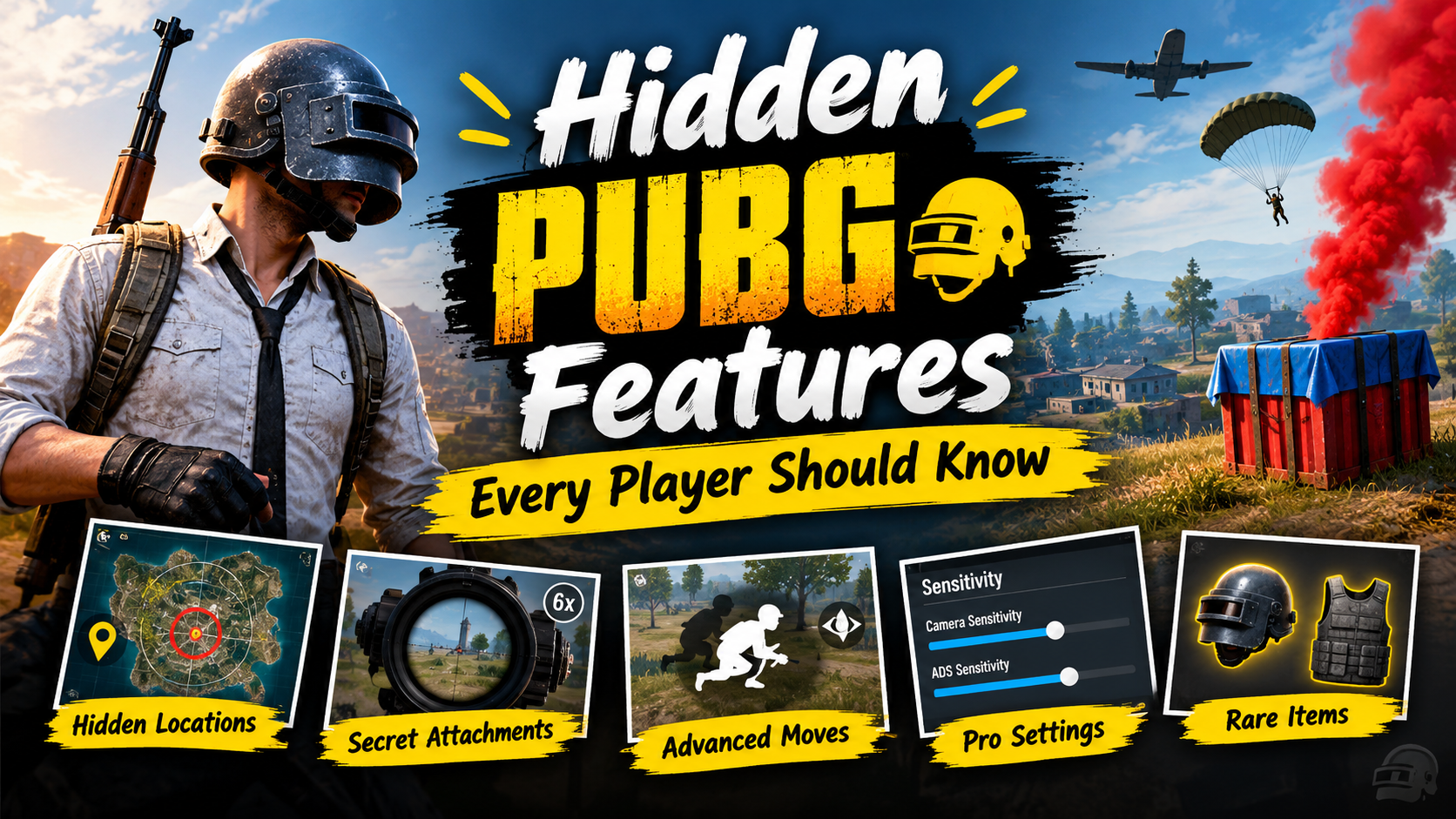
Discover hidden PUBG features, settings, controls, training tools, replay options, graphics tweaks, tactical tricks, and gameplay features every player should know.
PUBG: BATTLEGROUNDS is much more than simply landing, collecting weapons, and eliminating opponents. The game has a large collection of settings, controls, training tools, tactical mechanics, and information features that can significantly change the way you play.
Many players use the default settings for months without exploring what is available in the menus. As a result, they may be missing useful tools that can improve aiming, movement, communication, performance, and decision-making.
PUBG itself describes the core gameplay around landing, looting, vehicles, the shrinking Blue Zone, supply drops, and survival. It also provides Training Mode where players can practice weapons, equipment, parachuting, driving, and other skills.
Some features discussed below are particularly useful for experienced players, while others are helpful for beginners who want to understand the game better.
Let’s explore some of the lesser-known PUBG features and settings that can make your matches more comfortable and strategic.
1. Training Mode Is More Useful Than You Think
One of the easiest features to ignore is Training Mode.
Many players enter training only to test a weapon for a few minutes. However, it can be used as a complete practice environment.
You can use training sessions to work on:
- Recoil control
- Aim tracking
- Weapon switching
- Grenade throwing
- Sniper practice
- Driving
- Movement
- Shooting at different distances
- Testing different attachments
- Learning weapon behavior
PUBG’s official game overview specifically describes Training Mode as a place to practice weapons, equipment, parachuting, driving, and other skills.
Instead of immediately starting another ranked match after losing, spending a few minutes practicing a specific weakness can be more useful.
For example, if you frequently lose close-range fights, practice quick aiming and movement. If long-range fights are your problem, spend time testing scopes and recoil.
2. Experiment With Your Sensitivity Settings
Sensitivity is one of the most important settings in a shooting game.
PUBG gives players different sensitivity controls that can be adjusted according to their preferred playing style.
Instead of copying another player’s sensitivity exactly, experiment with different values and find settings that feel comfortable for you.
Sensitivity can affect:
- Camera movement
- Aim movement
- Scope control
- Close-range tracking
- Recoil control
- Turning speed
A setting that works perfectly for one player may feel uncomfortable for another because players use different devices, screen sizes, mouse settings, FPS levels, and control layouts.
For mobile players, PUBG MOBILE has also introduced tools for adjusting sensitivity directly in Training Grounds and has provided customizable gyroscope sensitivity options.
3. Gyroscope Can Give You More Precise Control
For players using supported mobile devices, the gyroscope can be an extremely useful feature.
Instead of relying completely on touch controls, gyroscope movement allows the device itself to contribute to aiming adjustments.
This can be particularly helpful for:
- Recoil control
- Small aim corrections
- Tracking moving enemies
- Long-range aiming
- Fast target adjustment
PUBG MOBILE has supported customizable gyroscope sensitivity, including separate adjustments for aiming down sights.
If you’ve never used gyroscope controls, don’t immediately switch to very high sensitivity. Start gradually in Training Grounds and practice until the movement feels natural.
4. Universal Marking Makes Team Communication Easier
Communication is extremely important in squad-based PUBG matches.
PUBG MOBILE introduced Universal Marks that allow players to mark locations, supplies, vehicles, death crates, doors, and other objects. These marks can help teammates understand what you are pointing toward without requiring a long voice explanation.
For example, instead of saying:
“There is a vehicle somewhere near that building.”
You can simply mark the location.
This becomes particularly useful when:
- Your microphone isn’t working
- Teammates are speaking different languages
- You need to communicate quickly
- You don’t want to reveal information through voice chat
Good marking can make squad communication much faster.
5. You Can Adjust Individual Teammate Voice Volume
Another useful communication feature is individual teammate volume control.
PUBG MOBILE has supported independent teammate voice-volume adjustment, allowing players to change the volume of individual teammates during a match.
This can be useful when one teammate is too quiet while another is extremely loud.
Instead of changing the overall voice volume, individual adjustment gives you more control over your squad communication.
Clear communication is particularly important during:
- Enemy encounters
- Rotations
- Revives
- Vehicle movement
- Loot sharing
- Final-zone situations
6. Don’t Ignore Graphics Settings
Graphics settings aren’t only about making PUBG look beautiful.
They can also affect visibility and performance.
PUBG’s official support documentation explains several graphics options, including screen scale, anti-aliasing, shadows, textures, effects, foliage, view distance, motion blur, and V-Sync.
For example, view distance affects how clearly objects can be seen at greater distances, while motion blur creates an afterimage effect during movement. PUBG also notes that V-Sync can cause frame drops on lower-performance machines.
If your device struggles to maintain smooth gameplay, experiment with graphics settings rather than simply selecting the highest possible quality.
A smooth game can be more useful during combat than maximum graphical detail.
7. Customize Your Controls Instead of Using Defaults
Default controls are designed to work for a broad range of players, but they may not be ideal for your individual playstyle.
Spend some time exploring the control settings and moving important buttons to comfortable positions.
Depending on the platform and current game version, players can customize different controls and interaction options.
On PC, PUBG’s newer settings system has expanded customization, including key-binding categories and Toggle/Hold options for certain actions.
Consider customizing frequently used actions such as:
- Inventory
- Map
- Throwables
- Healing
- Interaction
- Marking
- Weapon switching
The goal isn’t to create complicated controls. The goal is to make important actions easy to access.
8. Learn the Difference Between Toggle and Hold
A small setting can make a noticeable difference: whether an action uses Toggle or Hold.
PUBG’s PC settings include Toggle/Hold configuration for several actions, including inventory, extended minimap, throwable radial, healing items radial, message radial, and action radial.
The best option depends on personal preference.
If you prefer pressing a key once and keeping an interface active, Toggle may feel more comfortable.
If you prefer the action to remain active only while holding the button, Hold may be better.
Experiment with both rather than assuming the default is optimal.
9. Use Replay and Death-Cam Features to Study Your Mistakes
One of the most useful learning tools is replay or death-cam functionality when available in the relevant mode and version.
Instead of immediately leaving after being eliminated, look at how the fight happened.
Ask yourself:
- Where was the enemy?
- Did I expose myself too much?
- Did I start shooting too early?
- Was my positioning poor?
- Did I have enough cover?
- Did I hear the opponent before seeing them?
- Could I have rotated differently?
PUBG has offered death-cam and replay functionality, although availability can change depending on map, mode, and technical issues.
The important point is to use these tools for learning rather than simply checking how the opponent eliminated you.
10. 2D Replay Can Show the Bigger Picture
For PUBG: BATTLEGROUNDS, the 2D Replay feature can provide a broader view of a completed match.
PUBG introduced 2D Replay through the Career → Match History → Match Report → 2D Replay path. It can show information such as players, engagements, zones, and care packages.
This type of information can be particularly useful for understanding:
- Where players landed
- How teams moved
- Where engagements occurred
- How zones developed
- Where supply drops appeared
Instead of focusing only on your own character, you can use match information to understand the overall flow of a game.
11. Learn to Read the Blue Zone Properly
The Blue Zone isn’t just something you run away from.
It influences how players rotate, where teams position themselves, and which routes become dangerous.
PUBG’s basic gameplay revolves around a shrinking Blue Zone that damages players who remain outside it.
A common mistake is waiting until the zone becomes dangerous before moving.
Instead, consider:
- Your current position
- The next safe area
- Available vehicles
- Natural cover
- Enemy positions
- Buildings along the route
Good positioning can sometimes prevent fights that would otherwise be unavoidable.
12. Vehicles Are Tactical Tools, Not Just Transportation
Vehicles are often treated simply as a way to travel faster.
However, they can have several tactical uses.
PUBG’s official overview notes that vehicles such as cars, boats, and gliders provide strategic possibilities.
A vehicle can help you:
- Rotate quickly
- Escape a dangerous zone
- Reach distant compounds
- Move teammates
- Create temporary cover in some situations
- Change your rotation route
However, vehicles can also make noise and attract attention.
Therefore, deciding when to use a vehicle and when to abandon it can be just as important as finding one.
13. Don’t Automatically Chase Every Supply Drop
Supply drops can contain high-level equipment, but they can also attract multiple players.
PUBG officially warns that the red smoke from a Supply Box can alert nearby enemies.
Before approaching a drop, consider:
- How exposed is the area?
- Are enemies already nearby?
- Do you actually need the loot?
- Do you have an escape route?
- Is the zone moving?
Sometimes the best strategy is not to take the drop immediately.
You can also observe the area and determine whether other players are approaching it.
14. Learn How Audio Can Give Away Enemy Positions
Sound is an important information source in PUBG.
Footsteps, gunshots, vehicles, doors, and other sounds can provide clues about nearby activity.
Instead of simply hearing a sound, try to interpret it.
Ask:
- Is the enemy above or below me?
- Is the sound getting louder?
- Is the enemy moving toward me?
- Is it a vehicle or player?
- Is the gunfire close or distant?
A good headset can help, but understanding the information provided by sound is equally important.
Avoid playing with unnecessary background audio when you’re trying to focus on footsteps and gunfire.
15. Practice Grenades Instead of Randomly Throwing Them
Grenades can completely change a fight, but many players carry them without learning how to use them effectively.
Use Training Mode to practice:
- Throw distance
- Timing
- Bouncing grenades
- Smoke placement
- Flash usage
- Molotov positioning
Don’t think of grenades only as damage-dealing items.
Smoke can help with movement or reviving, while other throwables can pressure enemies out of positions.
The exact behavior and availability of throwable items can vary by PUBG version and mode, so always check the current game settings.
16. Learn the Map Beyond Popular Landing Spots
Knowing a map isn’t just knowing the names of major locations.
Try learning:
- Buildings with strong defensive positions
- Hills
- Bridges
- Open fields
- Vehicle locations
- Rotation routes
- Cover opportunities
- Common engagement areas
When you understand the terrain, you can make decisions faster.
PUBG’s gameplay is built around choosing landing locations, looting, moving through the map, and surviving the shrinking battleground.
The better you understand the environment, the easier it becomes to plan your movement.
17. Explore Settings After Major Updates
One of the most overlooked habits is never checking settings after an update.
PUBG frequently changes and expands features.
For example, the 2026 Update 42.3 introduced improvements to the Settings menu, including better descriptions, a side navigation panel, reset controls, additional key-binding categories, settings sharing, and crosshair customization.
This means an option you couldn’t find previously may become easier to access later.
After a major update, spend a few minutes checking:
- Controls
- Gameplay
- Audio
- Graphics
- Key bindings
- Interface
- Crosshair
- Accessibility options
18. Settings Sharing Can Save Time
For PC players, PUBG’s newer settings-sharing functionality can make experimentation easier.
Update 42.3 introduced a feature that allows players to generate a unique sharing code for settings and import settings from another player. PUBG says players can select categories such as Audio, Controls, Key Bindings, and Gameplay when applying shared settings.
However, hardware-dependent settings such as graphics are not included in the sharing system.
This can be useful if you’re moving to another computer or want to experiment with another player’s control setup without manually entering every setting.
19. Crosshair Customization Can Improve Visibility
Another newer feature worth exploring is crosshair customization.
PUBG’s Update 42.3 introduced crosshair customization with options for different weapon categories and elements such as line style, length, thickness, opacity, angle, dot size, and outline settings.
This doesn’t automatically improve your aim, but a crosshair that is easier for you to see can make aiming more comfortable.
Try different configurations and choose one that remains visible against different backgrounds.
20. Practice One Skill at a Time
The biggest hidden feature isn’t a button or setting.
It’s the ability to use PUBG’s practice systems intelligently.
Instead of entering a match with the vague goal of “playing better,” choose one specific skill.
For example:
Day 1: Recoil control
Day 2: Close-range movement
Day 3: Long-range aiming
Day 4: Grenades
Day 5: Vehicle rotations
Day 6: Map knowledge
Day 7: Positioning and zone movement
This approach gives your practice a clear purpose.
You don’t need to master everything at once.
Common PUBG Mistakes to Avoid
Even after discovering hidden features, players can still make simple mistakes.
Some common problems include:
Using copied settings without testing them
Professional or popular-player settings may not feel comfortable on your device.
Ignoring performance
Higher graphics aren’t always better if they cause unstable performance.
Never reviewing deaths
If you don’t analyze mistakes, you may repeat them.
Carrying items without knowing their purpose
Learn what each item does before relying on it during an important fight.
Ignoring the zone
Late rotations can force you into unnecessary fights.
Overusing vehicles
Vehicles can help with rotations but can also reveal your position.
Ignoring audio
Sound can provide valuable information before you visually identify an opponent.
How to Find Hidden Features in PUBG
If you want to discover more features yourself, use this simple process:
Step 1: Open Settings
Don’t only change one option. Explore every major category.
Step 2: Read descriptions
Some settings explain exactly what they change.
Step 3: Test changes in Training
Don’t experiment with important controls for the first time during a ranked match.
Step 4: Check updates
Major patches can add or modify features.
Step 5: Test your device
A setting that works well on one device may not perform the same way on another.
Step 6: Keep comfortable settings
The purpose of customization is to make gameplay easier and more consistent.
Sources
Conclusion
PUBG contains far more features than many players use during everyday matches. From Training Mode and sensitivity customization to graphics settings, universal marking, replay tools, audio controls, vehicle strategies, and newer interface customization, these options can make the game more flexible and enjoyable.
The most important thing is not to change every setting at once. Explore one feature, test it in Training Mode, and keep the options that genuinely make your gameplay more comfortable.
PUBG continues to evolve through updates, and features can be added, changed, disabled, or redesigned over time. The official PUBG patch notes are therefore the best place to verify whether a particular feature is available in your current version.
Frequently Asked Questions
1. What is the most useful hidden PUBG feature?
There isn’t one universal feature that is best for every player. Training Mode, customizable controls, sensitivity settings, replay tools, audio settings, and graphics options can all be useful depending on your playing style.
2. Does PUBG have a Training Mode?
Yes. PUBG provides Training Mode where players can practice weapons, equipment, parachuting, driving, and other gameplay skills.
3. Can PUBG settings improve gameplay?
Settings can make gameplay more comfortable by allowing you to customize controls, sensitivity, graphics, audio, and other options. However, settings alone cannot replace practice and game knowledge.
4. Is gyroscope useful in PUBG MOBILE?
For supported devices and players who are comfortable using it, gyroscope controls can assist with aiming and recoil adjustments. PUBG MOBILE has provided customizable gyroscope sensitivity options.
5. Does PUBG have replay features?
PUBG has offered replay, death-cam, and 2D Replay features, although availability can vary by platform, mode, map, and current game version.