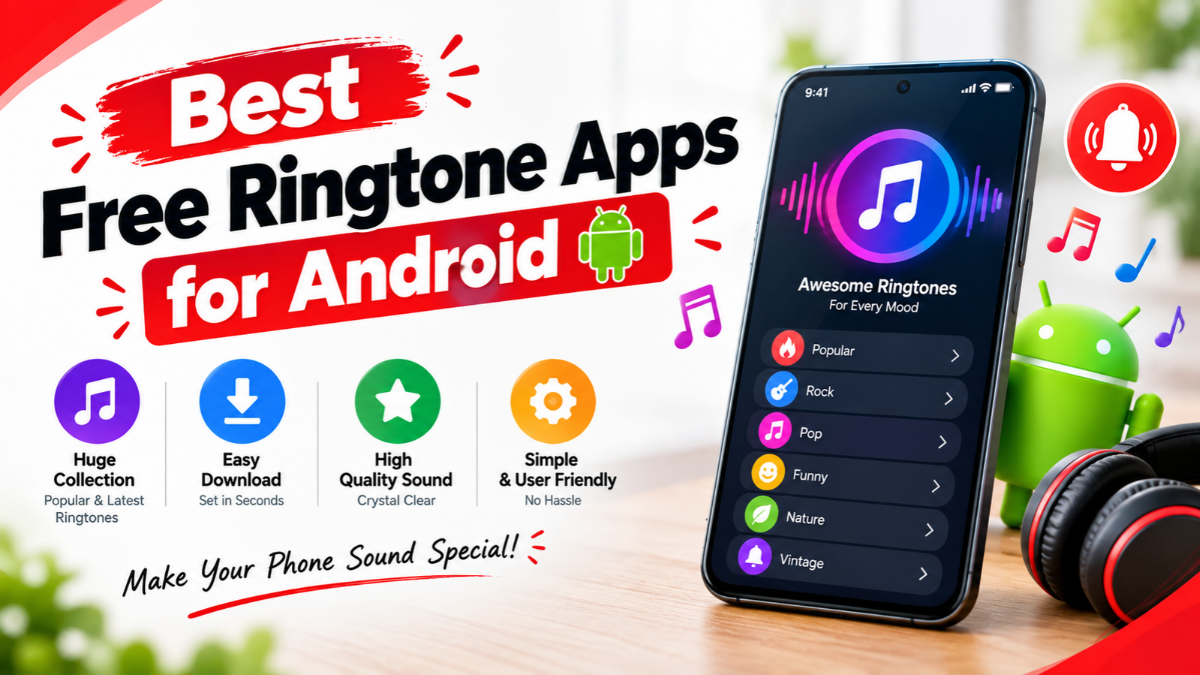
Discover the best free ringtone apps for Android in 2026. Compare Zedge, Audiko, ringtone makers, MP3 cutters, features, safety tips, and how to set custom ringtones.
Your smartphone is more than just a device for making calls. It is a part of your daily life, and customizing it can make the experience more personal and enjoyable. One of the easiest ways to personalize an Android phone is by changing its ringtone. Instead of using the same default sound that comes with your phone, you can choose music, funny sounds, notification tones, nature sounds, or even create your own custom ringtone.
Fortunately, there are many free ringtone apps for Android that make this process simple. These apps provide thousands or even millions of sounds that can be downloaded and used as ringtones, alarms, or notification sounds. Some apps also allow users to cut a specific part of a song and turn it into a custom ringtone.
In this article, we will explore the best free ringtone apps for Android, their main features, advantages, limitations, and how to choose the right app for your needs.
Why Use a Ringtone App on Android?
Most Android smartphones already include several built-in ringtones. However, the available options may feel limited if you want something unique.
Ringtone apps can give you access to:
- Free music ringtones
- Funny sounds
- Notification tones
- Alarm sounds
- Nature sounds
- Instrumental sounds
- Trending audio clips
- Gaming sounds
- Movie-inspired sounds
- Custom ringtone-making tools
Google’s Android support also explains that users can download additional ringtone apps from Google Play and select custom sounds as their ringtones.
Another advantage is convenience. Instead of downloading an audio file separately, moving it to a specific folder, and manually setting it as a ringtone, some apps allow you to browse, download, preview, and set sounds directly.
10 Best Free Ringtone Apps for Android
1. Zedge
Zedge is one of the most popular apps for Android personalization. It provides a huge collection of ringtones, notification sounds, alarm sounds, wallpapers, and other customization content.
The current Google Play listing says Zedge offers millions of wallpapers, ringtones, alarm sounds, and notification sounds. It also includes tools for creating customized audio content.
Key Features
- Millions of ringtone options
- Music and sound effects
- Notification sounds
- Alarm sounds
- Individual contact ringtones
- Wallpapers and live wallpapers
- Search and category features
- AI-powered audio creation features
- Free content with optional premium features
Pros
The biggest advantage of Zedge is its enormous content library. You can search for specific moods, genres, sounds, or styles. It is particularly useful if you want both wallpapers and ringtones in the same application.
Cons
The free version contains advertisements, and some content may require premium access.
Best for: Users who want a large variety of ringtones and other phone customization options.
2. Audiko
Audiko is another popular option for users who want both downloadable ringtones and ringtone creation tools.
The Google Play listing describes Audiko as a ringtone maker with a large database of free ringtones and an MP3 cutter/editor.
Key Features
- Large ringtone collection
- MP3 ringtone cutter
- Custom ringtone creation
- Music search
- Notification sounds
- Wallpapers
- Regularly updated content
Audiko is particularly useful when you already have a song on your phone and want to select only a specific section of it as your ringtone.
Pros
- Good customization tools
- Large collection
- Useful audio editing features
- Easy ringtone creation
Cons
Some features may be restricted or supported by advertisements and in-app purchases.
Best for: Users who want to create custom ringtones from music.
3. Ringtone Maker
Ringtone Maker apps are designed for people who prefer creating their own sounds instead of browsing through a large online catalog.
A typical ringtone maker lets you select an audio file stored on your Android phone and trim it to the section you want.
Key Features
- MP3 trimming
- Audio cutting
- Custom ringtone creation
- Notification sound creation
- Alarm sound creation
- Simple interface
- Offline editing for locally stored audio
For example, you can choose a favorite song, cut a 20–30 second section, save it as a new audio file, and then set it as your ringtone.
Pros
- Simple
- Useful for custom sounds
- No need to browse thousands of ringtones
- Works well with locally stored audio
Cons
The exact features vary between apps with similar names, so users should check the developer, reviews, permissions, and recent updates before installing.
Best for: People who want to make their own ringtone from an existing audio file.
4. Pi Music Player
Pi Music Player combines music playback with audio customization features. Some versions include tools that can help users create ringtones from music stored on their devices.
Instead of installing a separate music player and ringtone editor, users may prefer an app that provides both functions.
Key Features
- Music player
- Audio library management
- Ringtone creation
- Music organization
- Equalizer-related features on supported versions
Pros
- Useful for music lovers
- Combines multiple features
- Convenient for creating ringtones from personal music
Cons
The ringtone functionality may not be as extensive as a dedicated ringtone application.
Best for: Users who want music-player features alongside ringtone tools.
5. InShot MP3 Cutter
Audio cutter applications can be useful when your main goal is to create a ringtone from a song or another audio recording.
With an MP3 cutter, you can select the beginning and ending points of an audio clip and save the selected portion.
Key Features
- MP3 cutting
- Audio trimming
- Custom ringtone creation
- Volume adjustment
- Audio editing tools
- Simple interface
Pros
- Good for creating personalized ringtones
- Easy to understand
- Useful beyond ringtone creation
- Can help edit audio clips
Cons
It is more of an audio editing solution than a traditional ringtone library.
Best for: Users who already have their preferred audio files and simply want to cut them.
6. MTP Ringtones & Wallpapers
MTP Ringtones & Wallpapers is designed around quick phone personalization. It provides access to ringtone and wallpaper content and can be useful for users who want simple customization.
Key Features
- Ringtones
- Notification sounds
- Wallpapers
- Easy browsing
- Phone personalization
Pros
- Simple concept
- Offers multiple customization options
- Suitable for casual users
Cons
The number and quality of available sounds can vary, and users should check current app information before installation.
Best for: Users who want basic ringtone and wallpaper customization.
7. Z Ringtones
Z Ringtones is another option for Android users looking for downloadable ringtone sounds.
Unlike some large personalization platforms, apps focused mainly on ringtones can provide a more straightforward browsing experience.
Key Features
- Ringtone collection
- Notification sounds
- Quick downloads
- Categories
- Free content
Pros
- Focused on ringtones
- Simple browsing
- Useful for occasional customization
Cons
Advertisements may be present, and app features can change with updates.
Best for: Users looking for a dedicated ringtone browsing experience.
8. Phonezoo
Phonezoo provides tools for creating and working with ringtones. It can be useful if you prefer making custom sounds rather than relying entirely on pre-made tones.
Key Features
- Custom ringtone creation
- Audio customization
- Browser-based tools
- Support for personalized sounds
Pros
- Useful for custom ringtone creation
- Can be convenient when working from a browser
- Good alternative to traditional ringtone libraries
Cons
The experience may differ from a dedicated Android app.
Best for: Users interested in creating personalized ringtone files.
9. Tones7
Tones7 is a website-based option rather than a traditional Android application. It provides downloadable sounds that can be transferred to an Android device.
This can be useful for users who do not want to install another app.
Key Features
- Free ringtone downloads
- Different sound categories
- MP3 ringtone files
- No dedicated app required
Pros
- No app installation
- Simple download process
- Useful for users who prefer websites
Cons
You may need to manually set the downloaded audio file as your ringtone.
Best for: Users who prefer downloading ringtone files directly.
10. Your Phone’s Built-In Ringtone Options
You do not always need a third-party app. Android itself allows users to select available ringtones and, depending on the device, add custom audio files.
Google’s official Android instructions explain that you can open Settings > Sound & vibration > Ringtone, select a ringtone, and save it.
You can also use Files by Google to set a compatible audio file as a ringtone. The process involves opening the audio file, selecting the menu, choosing Set as ringtone, and granting the required permission.
Best for: Users who already have an MP3 file and do not want another ringtone app.
Comparison of the Best Free Ringtone Apps
| App | Best For | Free Option | Custom Ringtone | Extra Features |
|---|---|---|---|---|
| Zedge | Huge ringtone library | Yes | Yes | Wallpapers, notifications |
| Audiko | Music-based ringtones | Yes | Yes | Audio editing, wallpapers |
| Ringtone Maker | Cutting audio | Yes | Yes | MP3 editing |
| Pi Music Player | Music lovers | Yes | Yes | Music player |
| InShot MP3 Cutter | Audio trimming | Yes | Yes | Audio editing |
| MTP Ringtones | Simple customization | Yes | Limited | Wallpapers |
| Z Ringtones | Quick ringtone downloads | Yes | Limited | Notification tones |
| Phonezoo | Custom ringtone creation | Yes | Yes | Browser tools |
| Tones7 | Website downloads | Yes | Yes | MP3 downloads |
| Built-in Android tools | Existing audio files | Yes | Yes | No extra app required |
How to Choose the Best Ringtone App for Android
Choosing the right app depends on what you actually need.
1. Check the Ringtone Library
If you want to browse thousands of sounds, choose an app with a large and frequently updated library.
Zedge is particularly strong in this category because of its very large selection. Its current Google Play listing reports millions of customization items.
2. Look for a Ringtone Cutter
If you want to use your favorite song, a ringtone cutter may be more useful than a ringtone library.
Look for features such as:
- Trim
- Cut
- Fade in
- Fade out
- Volume adjustment
- Audio preview
3. Check Advertisements
Many free apps support themselves through advertising. A free app may therefore display advertisements while you browse or download sounds.
If advertisements are important to you, check the app’s current Play Store description and reviews before installing.
4. Check Permissions
A ringtone app generally should not require unnecessary access to unrelated personal information.
Before installing an application, review the Google Play Data safety section and the permissions requested by the app.
For example, the current Zedge Play Store listing provides information about data that may be collected or shared and says its practices can vary.
5. Check Recent Updates
An app with regular updates may be preferable because Android versions and device interfaces change over time.
Always check:
- Last updated date
- Developer information
- Recent reviews
- Download numbers
- Privacy information
- Compatibility
How to Set a Downloaded Ringtone on Android
Once you have downloaded a ringtone, setting it up is usually simple.
Method 1: Through Settings
- Open Settings.
- Go to Sound & vibration.
- Tap Ringtone.
- Choose the downloaded ringtone.
- Tap Save if your phone provides that option.
The exact names can vary depending on the Android phone manufacturer. Google’s official Android instructions use Settings > Sound & vibration > Ringtone as the standard path.
Method 2: Through Files by Google
If your ringtone does not appear automatically:
- Open Files by Google.
- Go to Audio.
- Find the downloaded audio file.
- Tap the three-dot menu.
- Select Set as ringtone.
- Grant the required permission.
- Confirm the ringtone.
Google provides these steps in its official Files by Google help documentation.
How to Set a Different Ringtone for a Contact
A personalized ringtone can also help you identify who is calling without looking at the screen.
On supported Android devices:
- Open the Contacts app.
- Select a contact.
- Tap More.
- Choose Set ringtone.
- Select your preferred sound.
- Save the setting.
Google documents contact-specific ringtone settings as part of Android’s sound customization features.
For example, you could use a soft ringtone for family members, a professional tone for work contacts, and a funny sound for close friends.
Are Free Ringtone Apps Safe?
Free ringtone apps can be useful, but users should still be careful.
Before installing an app, consider these points:
Download From Trusted Sources
Whenever possible, use the official Google Play Store instead of downloading unknown APK files from random websites.
Read Reviews
Look at recent reviews rather than relying only on the overall star rating.
Check Permissions
If a simple ringtone app requests access that seems unrelated to its purpose, investigate before granting permission.
Avoid Suspicious APK Files
Unknown APK files can potentially contain unwanted software. Installing applications from unofficial sources increases the risk of downloading something unsafe.
Check In-App Purchases
Some apps are free to download but offer premium ringtones or subscriptions. Read the pricing information carefully before making a purchase.
Free vs Premium Ringtone Apps
Not every ringtone app follows the same business model.
A free app may provide:
- Free ringtone downloads
- Advertisements
- Limited premium content
- Optional subscriptions
- In-app purchases
For example, Zedge is free to download and use, while also offering premium content and optional paid features.
Therefore, “free ringtone app” does not always mean every ringtone or feature is completely free.
If you only want occasional ringtone changes, the free version may be more than enough.
Tips for Choosing a Good Ringtone
The best ringtone is not necessarily the loudest or most popular one. Choose something that works well in your everyday environment.
Keep It Easy to Recognize
A ringtone with a clear opening sound can help you identify your phone quickly.
Avoid Extremely Long Audio Clips
A short, recognizable section of a song is usually more practical than an entire track.
Consider Your Environment
A soft ringtone may work well at home, while a louder and clearer tone may be better in a busy office or outdoor environment.
Use Different Sounds for Notifications
Your ringtone and notification sounds do not need to be identical. Short notification sounds are generally more practical because notifications can arrive frequently.
Consider Battery and Volume
Very complex audio or live sound features are not always necessary. A simple ringtone is often the most practical option.
Which Free Ringtone App Should You Choose?
If you want a quick recommendation, the choice depends on your needs.
Choose Zedge if you want a huge library of ringtones, notification sounds, wallpapers, and other customization features.
Choose Audiko if you are interested in creating custom ringtones and editing music.
Choose a Ringtone Maker if you already have music on your phone and only need to cut a specific section.
Choose an MP3 Cutter if audio editing is your main requirement.
Use Android’s built-in tools if you already have an MP3 file and do not want to install another application.
There is no single best ringtone app for everyone. The best choice depends on whether you value a large library, customization, audio editing, simplicity, or privacy.
Sources
Google Android Help – Change volume, sound & vibration settings
Google Files Help – Set an audio file as your ringtone
Conclusion
Finding a good ringtone can make your Android smartphone feel more personal and enjoyable. Fortunately, there are many free ringtone apps for Android that provide everything from music clips and funny sounds to notification tones and custom audio editing tools.
Apps such as Zedge are excellent for users who want a massive selection of ready-made sounds, while Audiko and ringtone-maker applications are useful for people who prefer creating personalized tones. If you already have an MP3 file, you may not need any third-party app at all because Android provides built-in options for setting custom audio as a ringtone.
When choosing a ringtone app, always consider the size of its library, customization features, advertisements, privacy information, permissions, recent updates, and user reviews. Most importantly, download applications from trusted sources such as Google Play and avoid suspicious APK files.
With the right app, you can easily replace the standard ringtone with a sound that matches your personality, favorite music, mood, or lifestyle.
FAQs
1. What is the best free ringtone app for Android?
Zedge is one of the most popular choices because it offers a very large collection of ringtones, notification sounds, alarm sounds, and other customization content. However, users who want to create their own ringtones may prefer Audiko or a dedicated ringtone maker.
2. Can I make my own ringtone from a song?
Yes. Many ringtone-maker and MP3-cutter apps allow you to select an audio file, trim the desired section, save it, and use it as your ringtone. Android can also use compatible audio files as custom ringtones.
3. Are free ringtone apps completely free?
Not always. Many ringtone apps offer free content but may contain advertisements, premium sounds, subscriptions, or optional in-app purchases. Always check the app’s current pricing information before purchasing anything.
4. How do I set a downloaded MP3 as my Android ringtone?
You can usually go to Settings > Sound & vibration > Ringtone and select the audio file. Alternatively, Files by Google supports setting an audio file as a ringtone directly from the Audio section.
5. Are ringtone apps safe to use?
Ringtone apps from trusted sources can be safe, but users should still check the developer, reviews, permissions, privacy information, and Google Play Data safety section. Avoid downloading APK files from unknown websites.