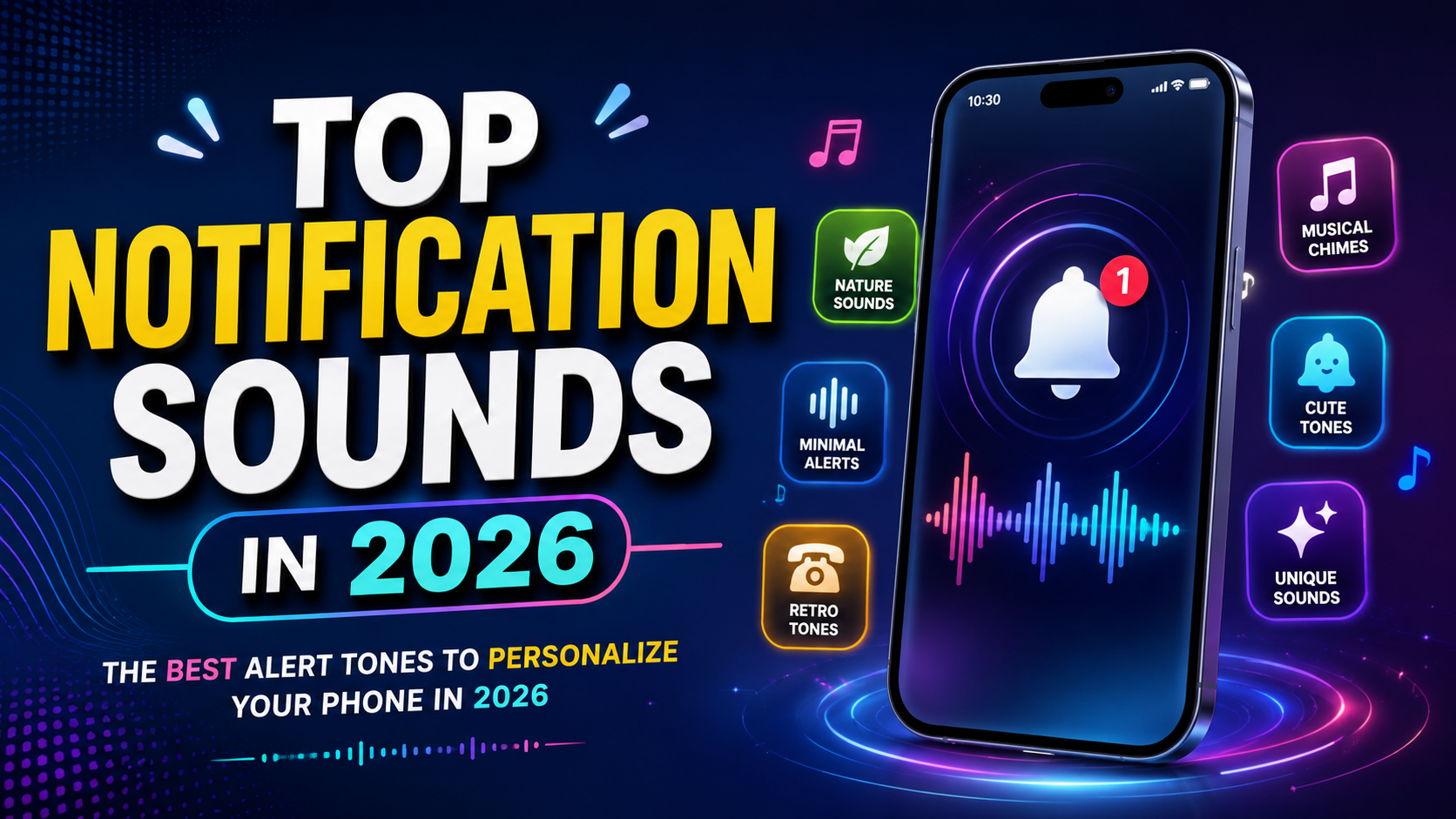
Discover the top notification sounds in 2026, including minimalist alerts, nature tones, cute sounds, musical chimes, and custom notification tones for Android and iPhone.
Smartphones have become an essential part of everyday life. From receiving personal messages and work emails to getting social media updates, reminders, and important alerts, people interact with their phones throughout the day. While notifications help users stay informed, the sound accompanying each alert can influence the overall smartphone experience.
Choosing the right notification tone is a simple way to personalize a device. Some people prefer short and subtle sounds that do not interrupt their work, while others enjoy musical chimes, cute tones, or distinctive alerts that reflect their personality.
The top notification sounds in 2026 include a wide variety of styles, from minimalist digital beeps and soft piano notes to nature-inspired sounds and customized audio clips. There is no single notification sound that is best for everyone. The ideal choice depends on your lifestyle, phone usage, environment, and personal preferences.
A good notification sound should be easy to recognize, pleasant to hear, and short enough to avoid unnecessary interruptions. It should also be suitable for the environment in which you use your smartphone.
In this article, we explore 10 popular notification sound styles to consider in 2026, explain how to choose the right tone, and share practical tips for customizing notification sounds on Android and iPhone.
1. Minimalist Digital Notification Sounds
Minimalist notification sounds are an excellent choice for people who prefer a clean and simple smartphone experience. These tones usually consist of a short beep, a gentle click, or a brief digital chime.
Rather than playing a long melody, minimalist sounds communicate that a notification has arrived without demanding too much attention. They are especially useful for people who receive frequent messages and app alerts.
Why Choose Minimalist Sounds?
- Less distraction: Short tones reduce the time spent listening to repeated alerts.
- Professional appearance: Simple sounds are suitable for offices, meetings, and workplaces.
- Easy recognition: A distinctive short beep can help you notice important messages.
- Everyday convenience: Minimalist tones work well for email, messaging, and calendar reminders.
For example, you could choose a soft digital click for general notifications and reserve a different tone for important work messages.
Minimalist sounds are particularly helpful if you receive notifications from several applications throughout the day. However, avoid choosing a tone that is so quiet or similar to background noise that you frequently miss important alerts.
2. Soft Piano and Musical Chime Sounds
Soft piano notes and musical chimes are ideal for users who want their phones to sound elegant and relaxing. These tones often use a few musical notes rather than a sharp electronic beep.
A gentle piano sound can make a notification feel less abrupt, while a bright chime can provide a clear alert without sounding overly loud.
Best Uses for Musical Notification Tones
Personal messages: A warm musical note can make messages from friends and family feel more personal.
Calendar reminders: A short melody can serve as a pleasant reminder for appointments or scheduled activities.
Emails: A simple musical chime can distinguish email alerts from other notifications.
Daily reminders: Soft tones can be useful for water reminders, study schedules, and personal tasks.
When selecting a musical notification sound, choose a short clip with a clear beginning and ending. Long musical passages may become irritating when repeated throughout the day.
It is also worth considering the volume. A delicate piano tone may be pleasant at home but difficult to hear in a noisy environment. Test the sound at a comfortable level before using it as your primary alert.
3. Nature-Inspired Notification Sounds
Nature-inspired notification sounds bring elements of the outdoors to your smartphone. Examples include birds chirping, gentle rain, flowing water, wind chimes, and soft forest ambience.
These sounds appeal to people who prefer natural audio over synthetic electronic tones. A brief bird call or water-like chime can provide a refreshing alternative to traditional phone alerts.
Popular Nature Sound Ideas
- Birdsong for general notifications.
- A gentle water drop for messaging apps.
- Soft wind chimes for reminders.
- A short rain sound for personal alerts.
- A subtle breeze-inspired tone for email notifications.
Nature sounds can also be used to distinguish different applications. For instance, a bird chirp might indicate a personal message, while a water-drop sound could identify a reminder.
However, natural sounds should be selected carefully. Some recordings are too quiet, while longer nature clips may sound more like background audio than a notification.
A short, clear recording is generally the most practical option. Make sure you have permission to use the audio if you download a recording from an external website.
4. Cute and Fun Notification Sounds
Cute notification sounds are popular among people who enjoy adding personality to their smartphones. These tones may include tiny bells, playful electronic effects, cartoon-inspired sounds, or cheerful short melodies.
They can make a phone feel more personal and help users identify their notifications without looking at the screen.
Ideas for Cute Notification Sounds
Tiny bell: A bright, cheerful tone suitable for messages.
Playful pop: A short sound that works well for social media alerts.
Bubble sound: A light, distinctive effect for casual notifications.
Soft sparkle: A delicate chime for personal reminders.
Funny sound effect: A brief humorous sound for selected contacts or nonessential applications.
Cute tones can be especially suitable for personal devices. However, think about where you use your phone before selecting an unusual or humorous sound.
A playful notification may be entertaining at home but distracting in a classroom, library, or office. Keeping the sound short and reserving it for selected applications can help maintain a balance between fun and practicality.
5. Classic Phone and Retro Notification Sounds
Retro notification sounds recreate the style of older mobile phones, traditional telephone bells, and early digital devices. They are a good option for people who appreciate nostalgic technology.
Classic tones are often easy to recognize because they have a distinctive rhythm or familiar sequence of notes.
Why Retro Sounds Remain Appealing
- They offer a nostalgic alternative to modern digital chimes.
- Their distinctive patterns can make alerts easier to identify.
- They can give a smartphone a unique personality.
- They may be useful for people who prefer familiar, traditional sounds.
A classic telephone-style ring can work well for calls, while a short retro beep may be suitable for messages.
You can also explore public-domain or appropriately licensed vintage-style sound effects. Avoid assuming that every sound copied from an old game, movie, or commercial phone is free to use.
If you enjoy customizing your device, retro tones can be a simple way to make it feel different without changing its appearance or buying additional accessories.
6. Nature and Ambient Tones for a Relaxing Experience
While short nature sounds work well for everyday alerts, ambient notification tones offer a slightly different approach. These sounds are designed to feel soft and unobtrusive, often using a gentle tonal effect inspired by rain, wind, or flowing water.
The aim is to notify the user without creating an unnecessarily sharp interruption.
Where Ambient Tones Work Best
At home: Gentle alerts can blend more comfortably into a quiet environment.
During study sessions: Soft sounds can help reduce the feeling of constant interruption compared with harsh, loud tones.
During creative work: A subtle notification can alert you without dominating your attention.
For personal reminders: Ambient sounds can make recurring reminders feel less repetitive.
The key is to keep the tone brief. A long ambient recording may distract you more than a simple alert, especially if notifications arrive frequently.
Remember that notification sounds do not automatically improve concentration or reduce stress. The number of alerts you receive, their timing, and your response to them are equally important.
7. Custom Notification Sounds for Different Apps
One of the most useful ways to personalize a smartphone is to assign different sounds to different applications. Instead of using the same alert for everything, you can create a simple audio system that helps you recognize notifications.
For example, a user might select one tone for personal messages, another for email, and a third for calendar reminders.
Suggested App-Specific Sound Setup
| Application or alert | Suggested sound style |
|---|---|
| Personal messages | Soft musical chime |
| Work email | Short digital beep |
| Calendar reminders | Gentle bell |
| Social media | Brief pop sound |
| Important contacts | Distinctive, easy-to-hear tone |
| Shopping updates | Subtle digital click |
| General app alerts | Minimalist notification sound |
This approach can be useful for people who receive notifications from many applications.
However, the available customization options depend on your device, operating system, and the individual app. Some applications let users select their own notification tones, while others provide only limited choices.
It is also wise to avoid assigning a different sound to every application. Too many unique tones can make notifications confusing rather than helpful.
8. Short Electronic and Futuristic Notification Sounds
Electronic notification sounds are suitable for people who enjoy a modern, technology-inspired experience. They may include synthesized beeps, short digital sequences, subtle sci-fi effects, or futuristic chimes.
These tones can make a smartphone feel contemporary and distinctive without requiring a complicated customization process.
Popular Electronic Sound Styles
Single digital beep: A clear, simple sound for everyday alerts.
Two-note electronic chime: A recognizable option for incoming messages.
Soft synthesized pulse: A subtle alternative for work notifications.
Futuristic ping: A distinctive tone for selected applications.
Retro computer alert: A nostalgic digital sound inspired by older computing devices.
When selecting electronic sounds, prioritize clarity over complexity. Some futuristic effects contain several layers or frequencies that make them less recognizable in noisy surroundings.
A good notification sound should be easy to distinguish from music, television audio, and other nearby devices.
If you work in a professional environment, a subtle electronic tone may be more appropriate than a dramatic sound effect.
9. Personalized Voice and Contact Notification Sounds
Another way to customize notifications is to use a short voice recording or assign distinctive tones to specific contacts. For example, you could use a familiar sound for messages from family members and a separate tone for work-related communication.
Some phones and messaging applications offer contact-specific or app-specific sound options. The exact features vary depending on the device and application.
Benefits of Personalized Notification Sounds
- Quick identification: A distinctive tone may help you recognize an important message.
- Personal connection: A familiar sound can make selected alerts feel more personal.
- Better organization: Separate tones can help distinguish work and personal notifications.
- Practical convenience: You may be able to identify certain notifications without immediately checking the screen.
If you use a voice recording, keep it short and make sure the recording is clear. Long voice clips can become inconvenient when notifications arrive repeatedly.
Be considerate when recording other people. Obtain permission before using someone’s voice in a way that could affect their privacy or create embarrassment.
For work devices, standard notification tones are often preferable because they help maintain a consistent and professional environment.
10. Custom Music and Unique Sound Effects
Custom music clips and sound effects are ideal for people who want a more distinctive smartphone experience. You might choose a short instrumental note, a cheerful sound effect, or an original audio clip created specifically for your device.
Some smartphones support importing audio files as notification tones, while others restrict customization to certain sound categories or system settings.
Tips for Choosing Custom Sounds
Keep the clip short: A brief alert is generally more practical than a long musical passage.
Use clear audio: Avoid recordings with excessive background noise or sudden volume changes.
Choose a recognizable section: Select a portion that sounds distinct even when played quietly.
Check compatibility: Confirm that the audio format and file location are supported by your device.
Respect copyright: Use original recordings, public-domain audio, or files licensed for your intended use.
A custom notification sound should improve your phone experience rather than interrupt it. Before making it your default tone, test it in different environments and at different volume levels.
How to Change Notification Sounds on Android
Android devices generally allow users to change the default notification sound, although the exact menu names can differ between manufacturers and operating-system versions.
Follow these general steps:
- Open the Settings application.
- Select Sound & vibration or a similarly named option.
- Find Default notification sound or Notification sound.
- Browse the available tones and select your preferred option.
- Tap Save or confirm your selection if prompted.
To customize an individual app, open Settings and look for Notifications, App notifications, or the relevant app’s notification categories. If the app supports custom sounds, select an appropriate tone.
On supported Samsung devices, you can also use a compatible audio file stored in the phone’s Notifications folder. Follow your device manufacturer’s instructions to import and select it.
For additional guidance, consult Google’s official Android support page: https://support.google.com/android/answer/9082609
How to Change Notification Sounds on an iPhone
iPhone users can customize many system alert tones through the Settings app. However, the available options depend on the alert type and the application.
To change a supported alert sound:
- Open Settings.
- Tap Sounds & Haptics.
- Select the alert category you want to customize, such as Text Tone.
- Preview the available sounds.
- Select your preferred tone.
Some apps have their own notification settings, while others do not offer a separate custom sound option. iOS features and available tones may also vary by version.
Apple also provides information about using tones and ringtones on iPhone and iPad.
Official guide: https://support.apple.com/en-in/118402
How to Choose the Best Notification Sound in 2026
Selecting the right tone involves more than choosing a sound you like. Consider your daily routine, the number of notifications you receive, and the places where you use your phone.
1. Consider Your Environment
A quiet office or library calls for subtle alerts, while a noisy workplace may require a clearer tone. Keep the volume appropriate for your surroundings.
2. Think About Notification Frequency
If your phone receives frequent alerts, choose a short sound that will not become irritating after repeated use.
3. Prioritize Recognizability
A sound should be easy to distinguish from other nearby phones. A unique two-note chime may be more practical than a common beep.
4. Separate Important and General Alerts
Consider using a distinctive tone for important messages while keeping routine app notifications quiet or silent.
5. Check Accessibility Needs
Some users may find certain frequencies, volumes, or sound patterns easier to notice than others. Vibration, visual alerts, and accessibility features can provide additional support.
6. Avoid Unnecessary Interruptions
Not every notification requires an audible alert. Turning off nonessential notifications or using silent mode during focused work can make your phone easier to manage.
Are Free Notification Sounds Safe to Download?
Many websites and applications offer downloadable notification sounds. However, users should take care when obtaining audio files from unfamiliar sources.
Use reputable websites and check whether the audio is licensed for personal use. Avoid suspicious downloads, unexpected executable files, and websites that request unnecessary permissions.
Audio formats such as MP3 and WAV are commonly used, but compatibility depends on the phone and its software. Always check the file type and follow the manufacturer’s instructions when importing custom sounds.
It is also important to distinguish between free access and unrestricted usage rights. A sound available at no cost may still have licensing conditions, particularly if you plan to use it in commercial content.
Sources
https://support.google.com/android/answer/9082609
https://support.apple.com/en-in/118402
Conclusion
The top notification sounds in 2026 offer plenty of options for personalizing smartphones, from minimalist digital beeps and soft piano chimes to nature-inspired tones, playful alerts, retro sounds, and custom audio clips.
The best choice depends on your personal style and everyday needs. Minimalist sounds are useful for professional environments, musical chimes provide an elegant touch, and nature-inspired tones offer a softer alternative to traditional alerts. Custom sounds can also help distinguish important messages from routine notifications.
Android and iPhone users can customize many notification settings, although the exact options vary by device, operating-system version, and application. By choosing short, recognizable tones and adjusting notification settings thoughtfully, you can create a more convenient and personalized smartphone experience.
Ultimately, the best notification sound is one that helps you notice important updates without becoming a distraction. Experiment with different tones, choose sounds that suit your routine, and remember that managing unnecessary notifications is just as important as selecting the perfect alert.
FAQs
1. What are the top notification sounds in 2026?
Popular styles to consider include minimalist digital beeps, soft piano chimes, nature-inspired sounds, cute alerts, retro tones, futuristic electronic effects, and custom musical clips. The best option depends on your preferences and device.
2. Can I use a custom notification sound on Android?
Yes. Many Android phones allow users to choose built-in sounds or import compatible audio files. The process varies by manufacturer, phone model, and software version.
3. Can I change notification sounds on an iPhone?
Yes. iPhone users can change many supported alert tones through Settings and Sounds & Haptics. However, not every third-party application supports custom notification sounds.
4. Where can I download free notification sounds?
You can explore reputable sound libraries and websites offering properly licensed audio. Always check the file format, licensing conditions, and website safety before downloading a sound.
5. What makes a good notification sound?
A good notification sound is short, clear, recognizable, and comfortable to hear repeatedly. It should suit your environment and help you identify important alerts without causing unnecessary distractions.