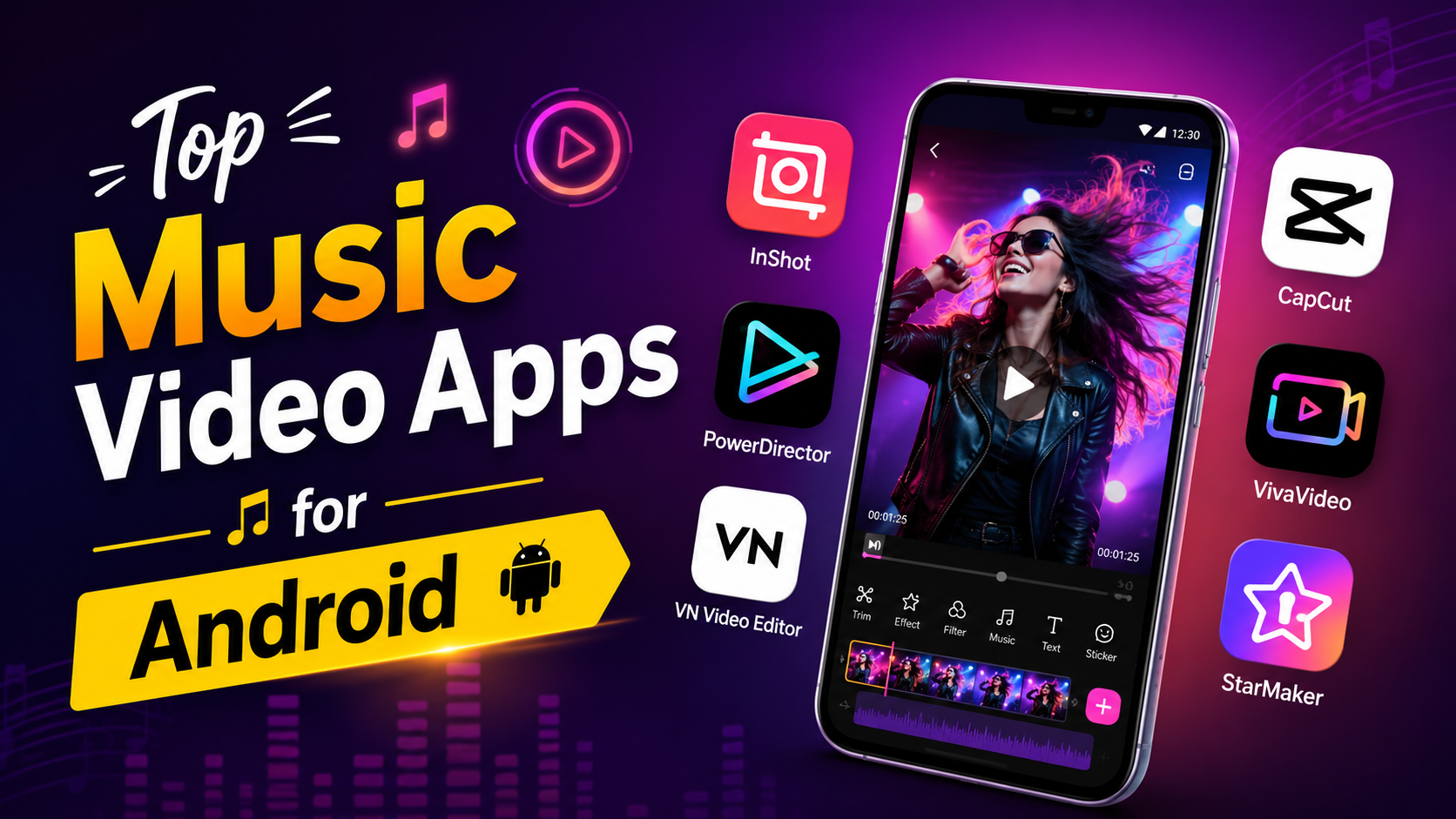
Discover the top music video apps for Android in 2026. Explore the best apps to stream, create, edit, and download music videos with high-quality playback, offline viewing, and creative editing tools.
Music has become an essential part of everyday life, and watching music videos makes the experience even more enjoyable. Whether you enjoy the latest pop hits, classic rock, Bollywood songs, K-pop, or independent artists, Android offers hundreds of music video apps to suit every preference.
The best music video apps do much more than simply play videos. They provide personalized recommendations, offline viewing, HD streaming, playlists, lyrics, editing features, and social sharing options. Some apps even allow creators to make professional-quality music videos directly from their smartphones.
In this comprehensive guide, we’ll explore the top music video apps for Android, their features, advantages, disadvantages, and how to choose the perfect one for your entertainment or content creation needs.
Why Use a Music Video App?
Dedicated music video apps offer several benefits compared to watching videos through a standard browser.
Some major advantages include:
- Better video quality
- Personalized recommendations
- Offline downloads
- Background playback (Premium in some apps)
- Playlist creation
- Faster loading
- Smart search
- Music discovery
- Live performances
- Music shorts and reels
Whether you’re a casual listener or a content creator, these apps improve your overall experience.
1. YouTube
YouTube remains the world’s largest video platform and is the first choice for watching music videos.
Best Features
- Official artist channels
- Billions of music videos
- Live concerts
- Lyrics videos
- HD and 4K streaming
- Smart recommendations
- Shorts
- Playlists
Pros
- Massive music collection
- High-quality videos
- Regular updates
- Free version available
Cons
- Ads in free version
- Background playback requires Premium
Best for:
Everyone looking for unlimited music videos.
2. Vevo
Vevo specializes in official music videos from popular artists worldwide.
Features
- Official HD videos
- Exclusive artist content
- Music premieres
- Genre browsing
- Curated playlists
Pros
- Excellent video quality
- Authentic music library
- Easy navigation
Cons
- Limited availability in some regions
Best for:
Official music video lovers
3. Spotify
Although known primarily for music streaming, Spotify includes video podcasts, artist clips, Canvas videos, and exclusive multimedia content.
Features
- Artist videos
- Podcasts
- Lyrics
- Personalized playlists
- Offline listening
Pros
- Excellent recommendations
- Huge music catalog
- Cross-device sync
Cons
- Limited full music videos
Best for:
Music streaming with multimedia content.
4. TikTok
TikTok has become one of the biggest platforms for discovering trending songs.
Features
- Short music videos
- Viral songs
- Creative editing
- Filters
- Effects
- AI tools
- Duets
Pros
- Trend discovery
- Creative tools
- Huge creator community
Cons
- Not ideal for full-length music videos
Best for:
Trending music discovery.
5. Instagram Reels
Instagram Reels allows users to create engaging music videos using licensed songs.
Features
- Audio library
- Video editing
- Filters
- AI effects
- Collaboration
- Easy sharing
Pros
- Huge audience
- Easy editing
- High engagement
Cons
- Short video format
Best for:
Social media creators.
6. Triller
Triller focuses on AI-powered music video creation.
Features
- Automatic editing
- AI effects
- Professional transitions
- Artist collaborations
Pros
- Professional results
- Beginner-friendly
Cons
- Smaller music library
Best for:
Influencers and creators.
7. CapCut
CapCut isn’t just a video editor—it has become one of the best tools for creating music videos.
Features
- Beat sync
- AI editing
- Templates
- Transitions
- Stickers
- Motion effects
- Auto captions
Pros
- Professional editing
- Free features
- Easy interface
Cons
- Some premium templates
Best for:
Music video editing.
8. VN Video Editor
VN Video Editor offers professional editing without watermarks.
Features
- Multi-layer editing
- Music library
- Speed control
- Filters
- Keyframes
Pros
- No watermark
- Free
- Powerful tools
Cons
- Learning curve for beginners
Best for:
Advanced editors.
9. VivaVideo
VivaVideo has been popular among Android users for years.
Features
- Music synchronization
- Video themes
- Transitions
- Filters
- Effects
Pros
- User-friendly
- Great templates
Cons
- Watermark in free version
Best for:
Quick music video creation.
10. InShot
InShot remains one of Android’s favorite video editing apps.
Features
- Music addition
- Filters
- Text
- Stickers
- Speed adjustment
- HD export
Pros
- Simple interface
- Fast editing
Cons
- Premium features require subscription
Best for:
Everyday creators.
Features to Look for in a Music Video App
Before installing any app, consider these important features:
HD Streaming
Look for apps supporting Full HD or 4K playback.
Offline Downloads
Useful for traveling or saving mobile data.
Personalized Recommendations
AI-based suggestions help discover new artists.
Playlist Support
Organize your favorite songs easily.
Lyrics
Many apps now display synchronized lyrics.
Editing Tools
Useful for creators producing music videos.
Cloud Sync
Access playlists across multiple devices.
Audio Quality
Choose apps offering high-bitrate audio.
Free vs Premium Music Video Apps
Free Apps
Advantages:
- No subscription
- Large libraries
- Good for casual users
Limitations:
- Ads
- Limited downloads
- Fewer premium features
Premium Apps
Benefits include:
- Ad-free experience
- Offline downloads
- Better quality
- Exclusive content
- Background playback
Tips for the Best Music Video Experience
- Use Wi-Fi for HD streaming.
- Keep apps updated.
- Create playlists for different moods.
- Download videos before traveling.
- Use headphones for better sound quality.
- Enable dark mode to reduce eye strain.
- Clear app cache periodically for smoother performance.
- Use premium plans if you watch videos daily.
Safety Tips When Downloading Music Apps
Only install apps from trusted sources like the Google Play Store. Avoid unofficial APK files, as they may contain malware or violate copyright policies. Review app permissions before installation and keep your device updated with the latest Android security patches.
Which Music Video App Is Best?
The ideal app depends on your needs:
- Best overall streaming: YouTube
- Best official music videos: Vevo
- Best music discovery: TikTok
- Best social sharing: Instagram Reels
- Best AI editing: CapCut
- Best professional editing: VN Video Editor
- Best beginner editing: InShot
- Best entertainment ecosystem: Spotify
Many users combine two or three apps—for example, YouTube for watching videos, Spotify for listening to music, and CapCut for creating their own music content.
Future of Music Video Apps
Music video platforms continue to evolve with AI-powered editing, personalized recommendations, immersive experiences, and creator-focused tools. As mobile technology improves, Android users can expect faster streaming, smarter content discovery, enhanced collaboration features, and even augmented reality experiences within music apps.
Sources
https://play.google.com/store/apps
https://developer.android.com
Conclusion
Music video apps have transformed how people discover, enjoy, and create entertainment on Android devices. Whether you’re streaming official releases, exploring trending songs, or producing your own creative videos, there’s an app designed for your needs.
For most users, YouTube remains the best all-around choice due to its unmatched content library. However, creators may prefer CapCut, VN Video Editor, or InShot for editing, while TikTok and Instagram Reels excel at discovering trends and sharing short-form content. Choosing the right combination of apps can significantly enhance your music experience and help you stay connected with your favorite artists and communities.
Frequently Asked Questions (FAQs)
1. Which is the best music video app for Android?
YouTube is generally considered the best due to its vast collection of official music videos, live performances, playlists, and personalized recommendations.
2. Can I watch music videos offline on Android?
Yes. Many apps such as YouTube Premium and Spotify Premium allow offline downloads for subscribers.
3. Which app is best for creating music videos?
CapCut, VN Video Editor, InShot, and Triller are among the best Android apps for creating and editing music videos.
4. Are music video apps free?
Most apps offer free versions with advertisements. Premium subscriptions provide additional features such as offline downloads, ad-free viewing, and higher-quality streaming.
5. Is it safe to download music video apps from APK websites?
No. It’s recommended to download apps only from trusted sources like the Google Play Store to reduce security and privacy risks.